About Ultra Screen Saver Maker
Ultra Screen Saver Maker is the most popular and widely used screensaver software. It has helped thousands of creative people and organizations, including many Fortune 500 companies, achieve their commercial, marketing and personal goals by means of creating great screensaver projects.
Using Ultra Screen Saver Maker you can add images, sounds, movies, text, websites or images using keyword search to your own screensaver.
Just collect media files, preview them and simply add to your screen saver project using a point-and-click interface. You can also add text, date and time using different fonts and effects.
Type in keywords or web addresses and all corresponding images or websites found on the Internet are going to appear in the screensaver.
For Windows® 11, 10, 8 and 7.
04 December 2022: New version includes various bug fixes.
Ultra Screen Saver Maker Features
“The intuitive interface lets you make a screensaver quickly the first time you ever use the program.”

CNET
Download.com“This tool is worth looking at, because it’s simple and fast…
Ultra Screen Saver Maker gets a rating of 5 out of 5.”

Network World
“This program is very easy to handle and has a nice interface.”

Software Informer
Ultra Screen Saver Maker Tour
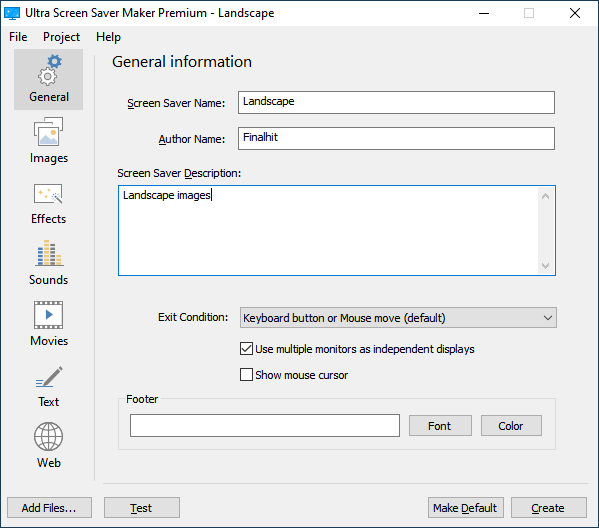
The first screen that appears in Ultra Screen Saver Maker is designed for entering basic information about the screen saver you are about to create.
You can enter screen saver’s name, a short description, as well as the author’s name. There are advanced options, also, such as exit condition, multiple monitors behavior and footer field if you want to specify text visible all the time at the bottom of the screen saver.
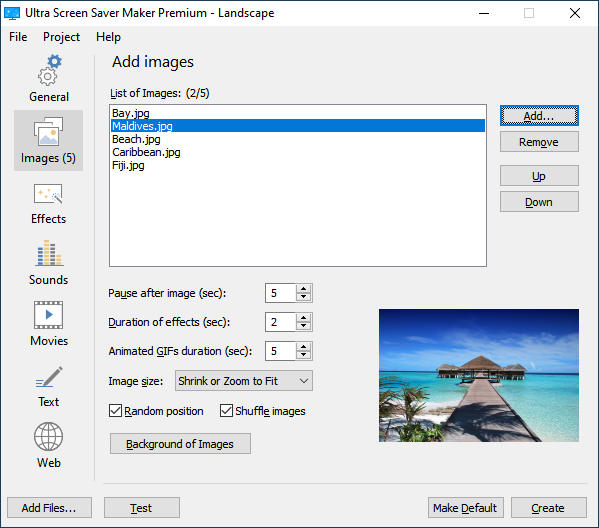
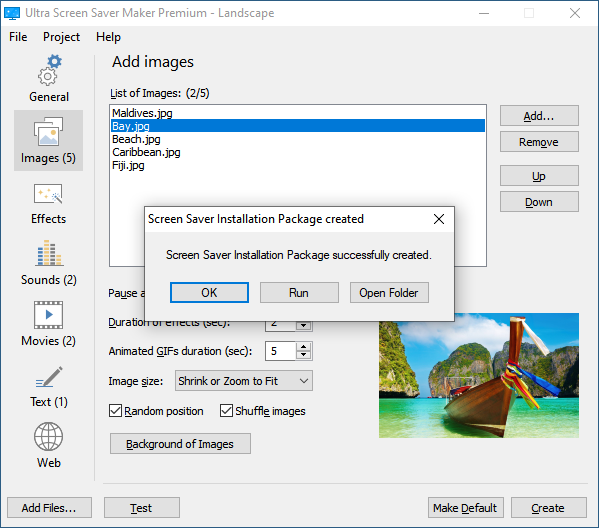
You can add a variety of images (JPEG, GIF, PNG, BMP, TIFF and TGA) into your screen saver. Ultra Screen Saver Maker allows you to sort and preview images you have added.
You can display images in their original size, a full screen or any other size of your choice. Moreover, you can adjust the duration of transitional effects between displayed images.
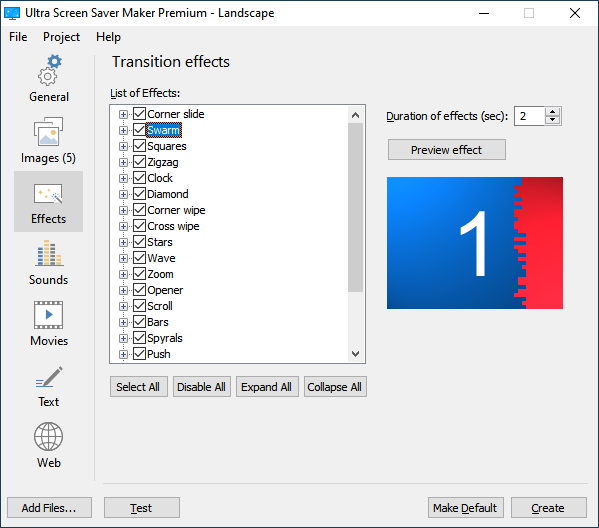
You can add or remove visual effects that occur when any type of image, movie or animation starts or stops. Your screen saver can include special effects found in professional video production.
Instead of just appearing onscreen, the image might slowly fade in. Or, a star might expand from the center of a region to reveal the new image. Instead of just disappearing when the movie stops playing, a clip might crossfade into the clip that plays next.
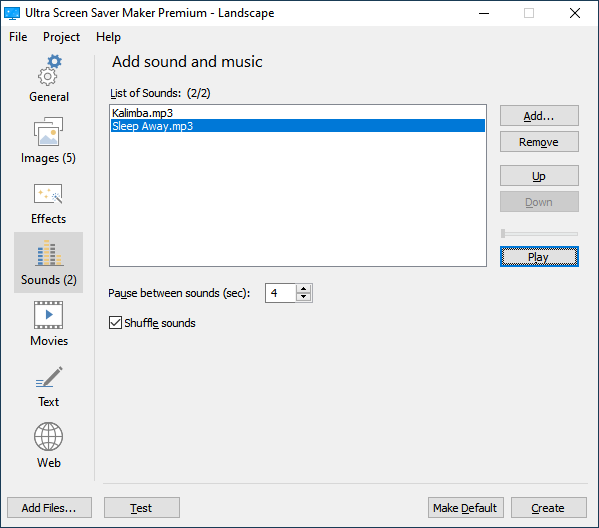
You can also add sound files into your screen saver and play them. Ultra Screen Saver Maker supports WAV, MP3 and MIDI sound formats.
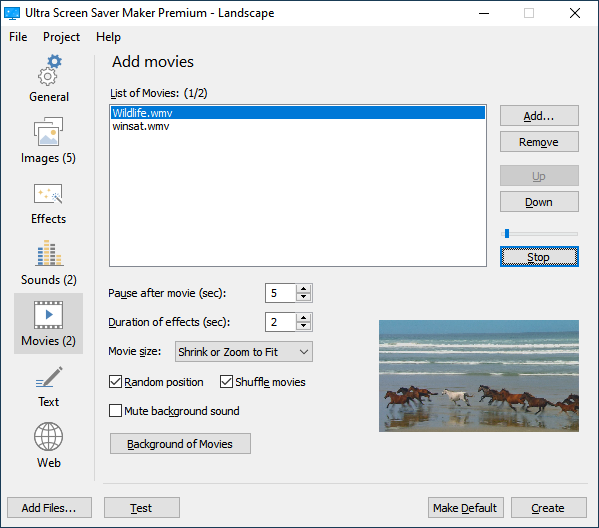
Movies can be added to your screen saver as well. Ultra Screen Saver Maker supports AVI, WMV and MPEG videos and can display them in different sizes.
If you have added sound file into your screen saver, it is possible to play it in the background of movies.
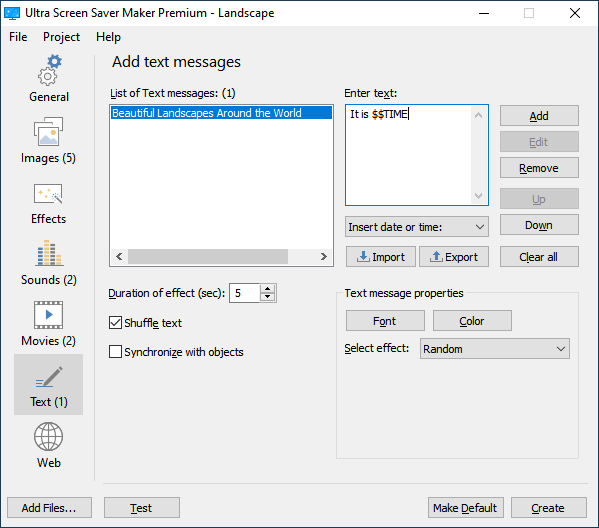
Using Ultra Screen Saver Maker you can create screen saver with text messages you like, or simply display current date and time.
Choose the order of appearance of the messages and set various properties, such is font, size, color and effect.
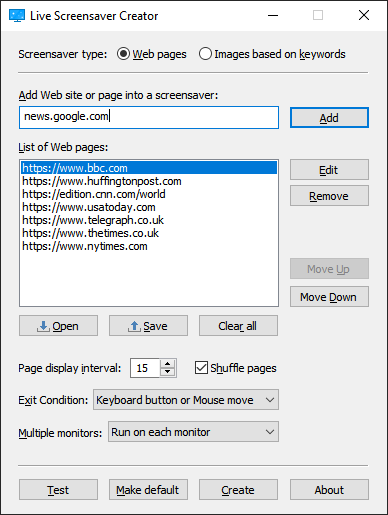
Web component is actually bundled Live Screensaver Creator. Using “Web pages” mode, just enter website addresses and the screensaver will display such websites.
To change the order of web pages being displayed in the screensaver, uncheck “Shuffle pages” and use “Move Up” and “Move Down” buttons.
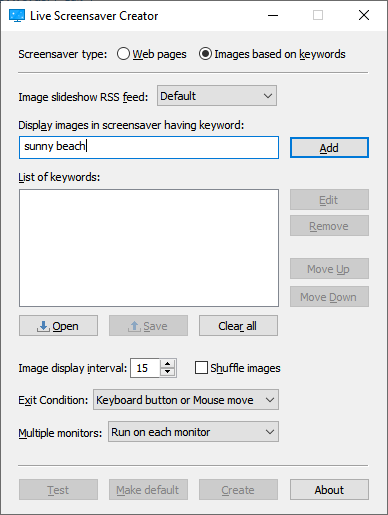
Using Web component, “Images based on keywords” mode, just enter keywords, like when you use search engines. For best results we recommend using single line containing keywords or phrase.
For example, if you type a word “dream”, “love”, “sky” or “relax”, all corresponding images found on the Internet are going to appear in the screensaver.
It is possible to test the screen saver at any time. You can see how exactly your screen saver will look like.
Once you are completely satisfied with the look and characteristics of your screen saver, you can finally create it.
Prior to building final screen saver we recommend saving your project file (.ssp), so you can easily rebuild it later if small changes are necessary.
You can create stand-alone installation package (.exe), installation package archive (.zip), screen saver (.scr) or digitally signed screen saver (.scr) with separate data file (.dat).
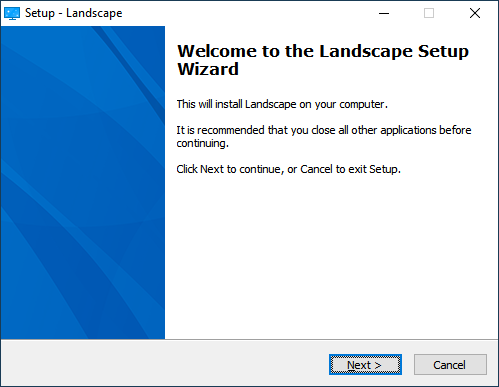
When you run stand-alone installation package (.exe), it shows Welcome screen having screensaver name. At the end of the installation procedure, it becomes default Windows screensaver.
Screen saver installation package auto-detects user’s Windows language settings and displays itself in one of the 24 languages supported: Armenian, Brazilian Portuguese, Catalan, Corsican, Czech, Danish, Dutch, English, Finnish, French, German, Hebrew, Icelandic, Italian, Japanese, Norwegian, Polish, Portuguese, Russian, Slovak, Slovenian, Spanish, Turkish and Ukrainian.
Video tutorial
Our Customers Testimonials
Your application saved me a ton of time and was very easy to use. Thanks again.
| Paul Goedheer | It’s working very well It’s what I have been looking for for a long time. |
| Stan Wilkerson | It is working just GREAT! Thank you so much for the professional and courteous customer support. This is what ALL companies should strive for! |
| Timothy Boulley | Top notch service, top notch software! I will keep an eye on your site for new products. If it wasn’t for guys like you, creating fantastic programs, guys like me wouldn’t have anything to create our work with! |
| Neil Gregory | Thanks so much! |
| Noel S Kennerley | Far superior I am well impressed with the Ultra Screen Saver Maker, far superior to anything else I’ve used before. Have just recommended it to my colleagues and friends. |
| Jens Weiermann | Clean and simple interface Just downloaded your Ultra Screen Saver Maker and must say I really like it! Especially the clean and simple interface. |
| Jason Hoekstra | I love your application |
| BossBabe | Feature/Function/Value — Screensaver Tops! Based on description and outstanding ratings of earlier version, downloaded this screensaver. Within minutes I had a finished product. I’d spent over $300 on screensaver builder applications earlier but no solution for a complete product in less than 10 minutes. This one did the job! |
| Connie Foster | Great product! Your instructions of use are top notch and what I set out to accomplish with my art was done. You guys made a great product here – cheers to you all! |
| Feather | Awesome! Just wanted to let you know the Ultra Screen Saver Maker program is awesome! I downloaded several trial versions from CNET today and this one beat them all in ease of use and creation options. The huge plus is how quickly I made a sample screensaver with my graphics and sounds. After only a short time I decided to purchase the program and am very pleased. Thanks to the programmer for their work in this program creation! |
| Jack | Great bang for the buck! This program is easy and works great. Good features for the price. Other programs same price with less and others with same features cost more. Stable, works well under multiple Windows platforms. |
| Rime Dragona | Nice program It is a nice program. It has some very useful features, such as unlimited files, and the ability to put in sounds. |
| Vicer | This thing rocks! I love this piece of software. It can do all the things it promises. But I do hope that they will improve the design. Over all it’s great. I recommend it. |
| Allen Johnston | You have outdone yourself! I had tried several screen saver maker programs before deciding yours was the best. Now with this release you have outdone yourself with the many additional features and improvements to some of the earlier ones. |
| Richard Kelly | Excellent! I Have a Real Screen Saver Maker… Thank You! |
| Microaj04 | Awsome Program I’ve been working with screensaver maker for 2 months now and Ultra Screen Saver Maker is the best out there! Add as many pictures as you want + sound + movies + text + also flash files STRONGLY RECOMMENDED!!! |
| Sarah | Two very enthusiastic thumbs up! This screen saver creator is not only easy to use, but can create screen savers that can be a mixture of animations, stills, animated text, and sound, depending on what you want. It beats all of the others I have tried. Two very enthusiastic thumbs up! |
| Programmer Plus | The Best By Far Of all the screen saver creators I have tried…. and I’ve tried them all…. this is by far the best. Easy to use and well worth the registration fee. Comparible to most of the high end programs. A must have!!!! |
| Craig Knapp | Creates true *.scr files I can readily recommend Ultra Screen Saver Maker, why? Unlike many so called screensaver creators which simply create a *.exe “presentation” type of file, Ultra Screen Saver Maker gives the user the option of creating a *.exe file or a *.scr (true Windows Screensaver) file. The *.scr file can be placed in the C:\Windows\System32 folder, then accessed like any standard screensaver from the Windows Desktop. I found it very easy to add images, video, and audio clips to this program, it has a very intuitive interface. This is a great program for creating screensavers for distribution to friends and family, especially when considering the low $20 price. |
| Zipply44 | Excellent! While looking on the internet, I was searching for a good screensaver maker. After downloading several, I saw the limitations of features, and complexitiy. Ultra Screen Saver Maker provides an easy, good program for people of all ages. |
| JP DHADLI | The need of the moment Very very easy and amusing to use |
| Peter | Fine It offers all you need to build a screensaver |
| Rosanna | I love this software! I have tried other screensaver makers, but this one is the best, so far. |
| Leslie Sharp | Cool screensaver creator! Preview option is great. |
| Roger | Excellent! It is so easy to use. |
| Winy | Very good program |
| James Potkukelkka | Simply the BEST!!! |
| Michael | This program is very nice screensaver creator |
| Saeid Momtahan | Really fantastic! it is a really fantastic software. really fantastic! |
| Johnathan Bachelot | Easy to use, with good features, excellent features |
What our customers like most in Ultra Screen Saver Maker
| The avi and jpgs don’t need to be distributed Some others limited you to about 4 pictures or much advertising. I have created 12 free zodiac screen savers and people download them every week. I really don’t have a favorite feature. I like that it is VERY easy to use. It is very affordable, yet it appears to be so much more professional that I thought it would be. I like that you can make screensavers with .avi files. This software actually got me excited about going through all my family photo albums to create personal screensavers too. I told you that I couldn’t choose just one thing that I like the most. I have one program that only will display around half of the file – and it is more costly than Ultra! |
| Ease of operation. Each step so simple that even my 11 and 12 year old Grandkids can do it. |
| Cheap, easy to use, actually creates decent installer and screensaver that works. |
| Ease of use – easy to teach others. We made 2000 screensavers over 10 days at a community event; we had about 10 different people involved and for anyone with reasonably basic computer literacy it only took about three or four screensavers before they were comfortable with making them. I had downloaded several s/s maker programs from Tucows – as it happened USSM was the first I tried. I immediately felt comfortable with it. However, I felt I should try the others, but none was came close to yours. |
| Easy to use, good effects, screensavers are a nice gift. |
| Flexibility in file types, ability to create screensavers from AVI files. |
| It has an easy look and intuitive interface. Also conatined all the options I needed. |
| It is so easy to use – with great results |
| Low price for the functions that we were seeking, very versatile and extremely easy to use, offers several features for a low price |
| Scrolling text, you can use smaller images and still get FULL SCREEN display. |
| Takes you step by step through stages and every feature you can use is within that stage (page). You do not have to go looking somewhere else for a feature nor ask yourself, am I using all that. |
| The ability to make a custom screen saver that can include both movies and pictures. |
| The creativity options are phenomenal! Music and effects of MY choice! |
| The ease of use. Easy for those not computer literate. |
| The fact that you can create video screen savers |
| The fact that you can make 100% original and personalised screen savers. |
| The possibility to insert the date and the time, plus the shuffle feature. |
| Tried about 6 other screensaver trials, but yours was just as easy to use and you let me make a complete screensaver with very little advertising in the finished product. |
| Very Easy and efficient to use |
| (1) Ease of use (2) Quality of images is retained |
| Although I have had a PC for many years I find that even a novice would find the installation and the ease of making your own Screen Saver an absolute delight and would recommend it to anyone. |
| I am a flash designer, so i think it’s great that you can put in flash animations. |
| I had great fun putting together my first screensaver and it looks like a pro did it. Managed to save a theme that had no screensaver that I really enjoy. And it was so easy! |
| I like that we can add images and then text using various transitions. |
| I love it so much. |
| That I make my screen with my own graphics and music. |
| The fact you can create a screensaver in minutes with very little difficulty |
| The possibility to import text-files |
| Unlike some screensaver DYI engines – Ultra accepts ALL the pictures I ask it to add! |